Getting started
Setting up takes about ten minutes. Your staff home shows a Get started list until the first three steps are done.
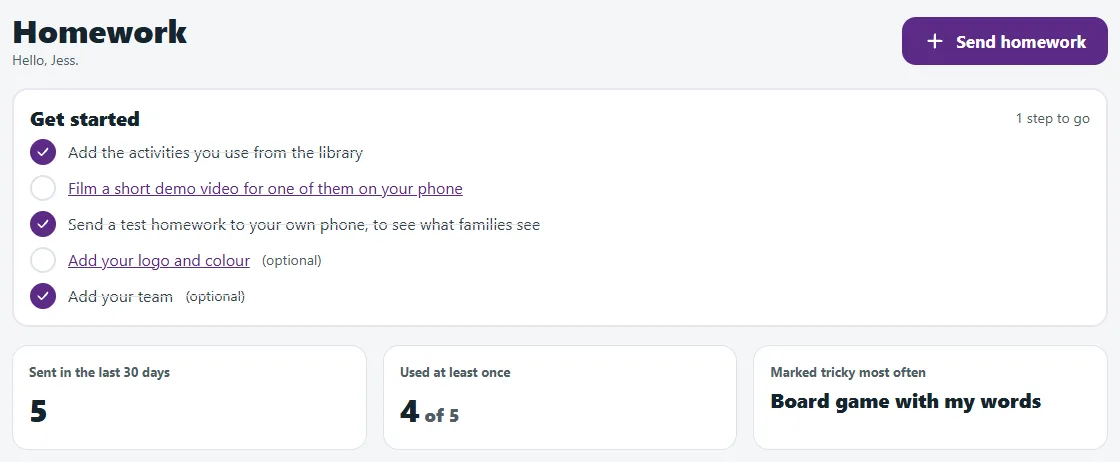
1. Add the activities you use
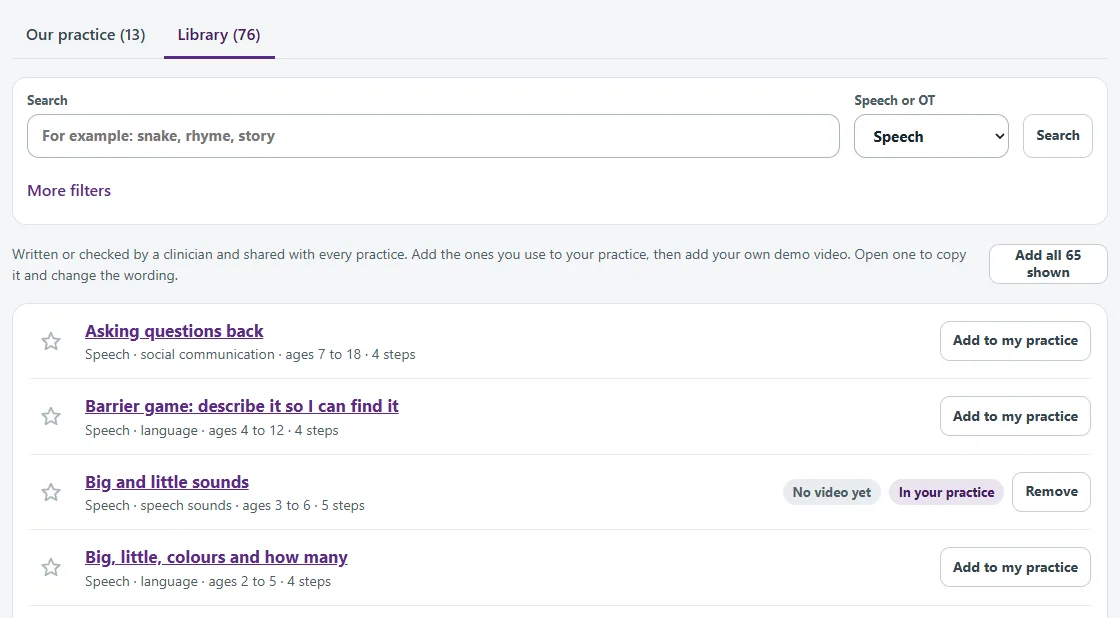
Go to Activities, then Library. The shared library is written or checked by clinicians and shared with every practice. It starts on your clinic's own work (speech or OT, set in Settings); choose Speech and OT to see everything.
- Add to my practice adds one activity. After a search, Add all shown adds every match.
- Tap the star beside the ones you use most. Starred activities come first when you send homework.
- Open an activity to read its steps and tips. Copy it to change it makes your own version to reword.
2. Film a demo video
Families watch your video at home as a reminder of what you showed them in the session. See Filming a demo video.
3. Send a test homework to your own phone
Send yourself a homework and scan the code with your phone, so you know exactly what families see. See Sending homework and the families' help.
Next: Filming a demo video
Still stuck?
Tell us what's not working, or email support@carryoverkids.com.au. Your message comes straight to the people who build Carryover Kids.