Sending homework
Choose Send homework. The form has a few short steps.
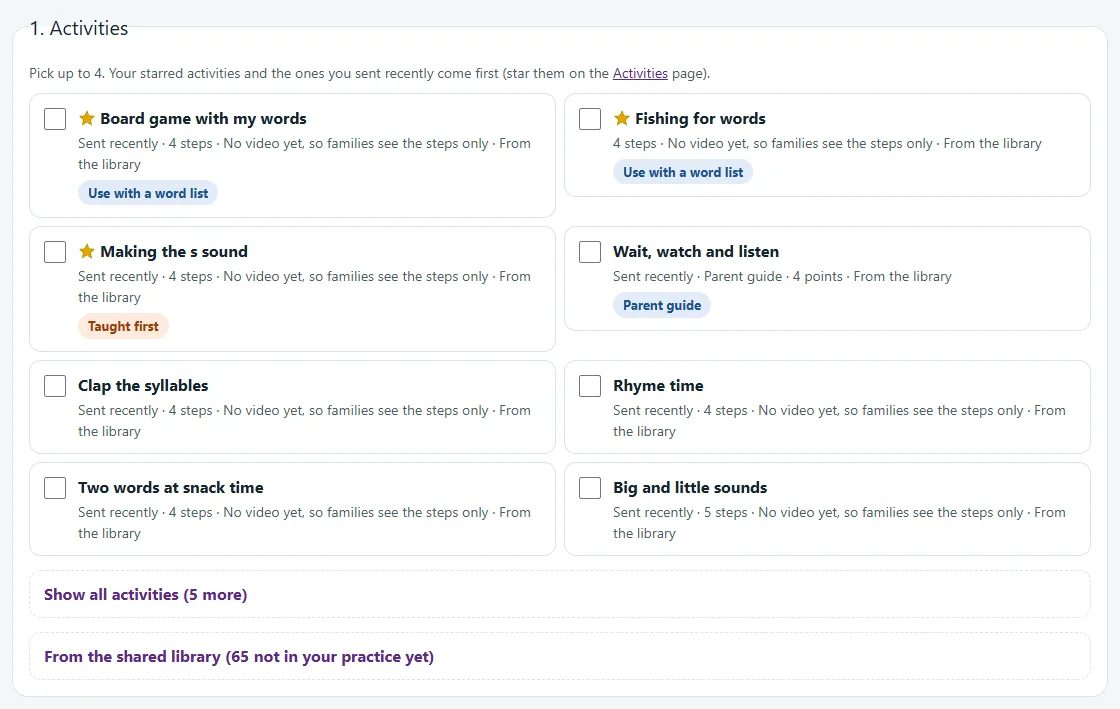
1. Activities
Pick up to 4. Your starred activities and the ones you sent recently come first; Show all activities opens the rest, and From the shared library lets you send one you haven't added yet (it joins your practice).
Activities marked Use with a word list get a box for the child's words: up to 20, separated by commas. Words only, never the child's name.
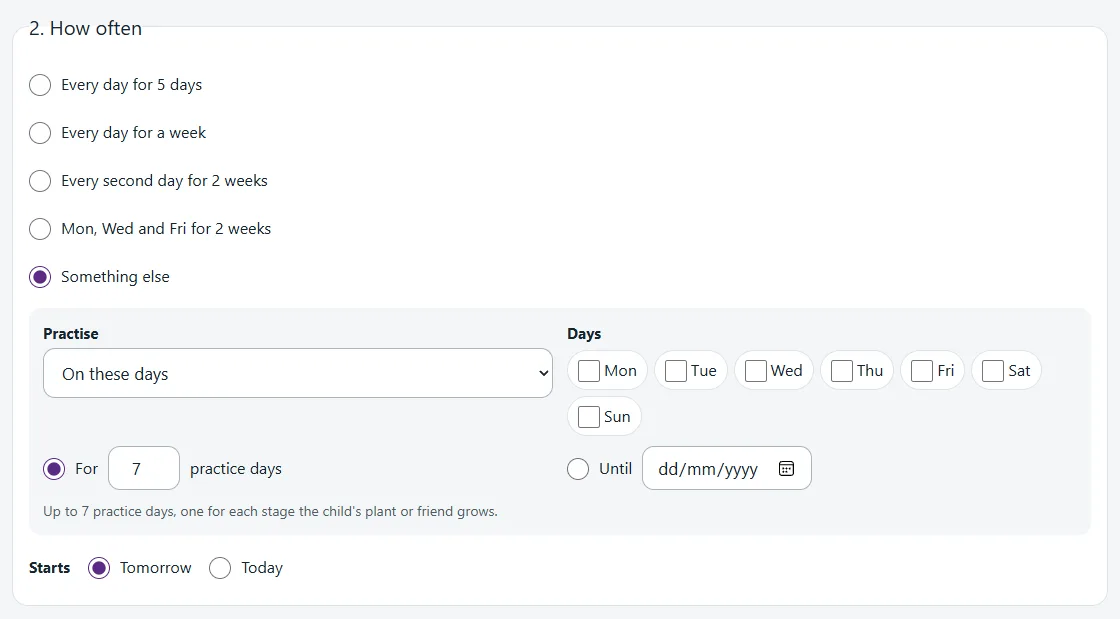
2. How often
Pick a common schedule, or Something else for every day, every second or third day, or chosen weekdays. Homework is up to 7 practice days, one for each stage of the friend the child grows, which keeps it manageable for families. It starts tomorrow unless you choose today.
3 to 5. Style, well done video and a note
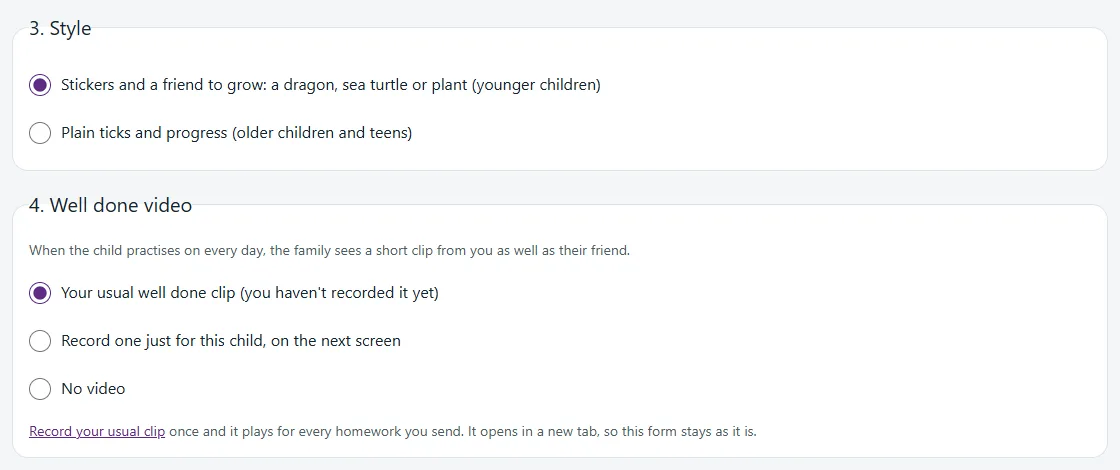
Stickers and a friend to grow suits younger children; plain ticks suit older children and teens. On clinic premium you can also choose the well done video. The note shows on the family's page and the printed sheet; leave out the child's name.
Giving it to the family
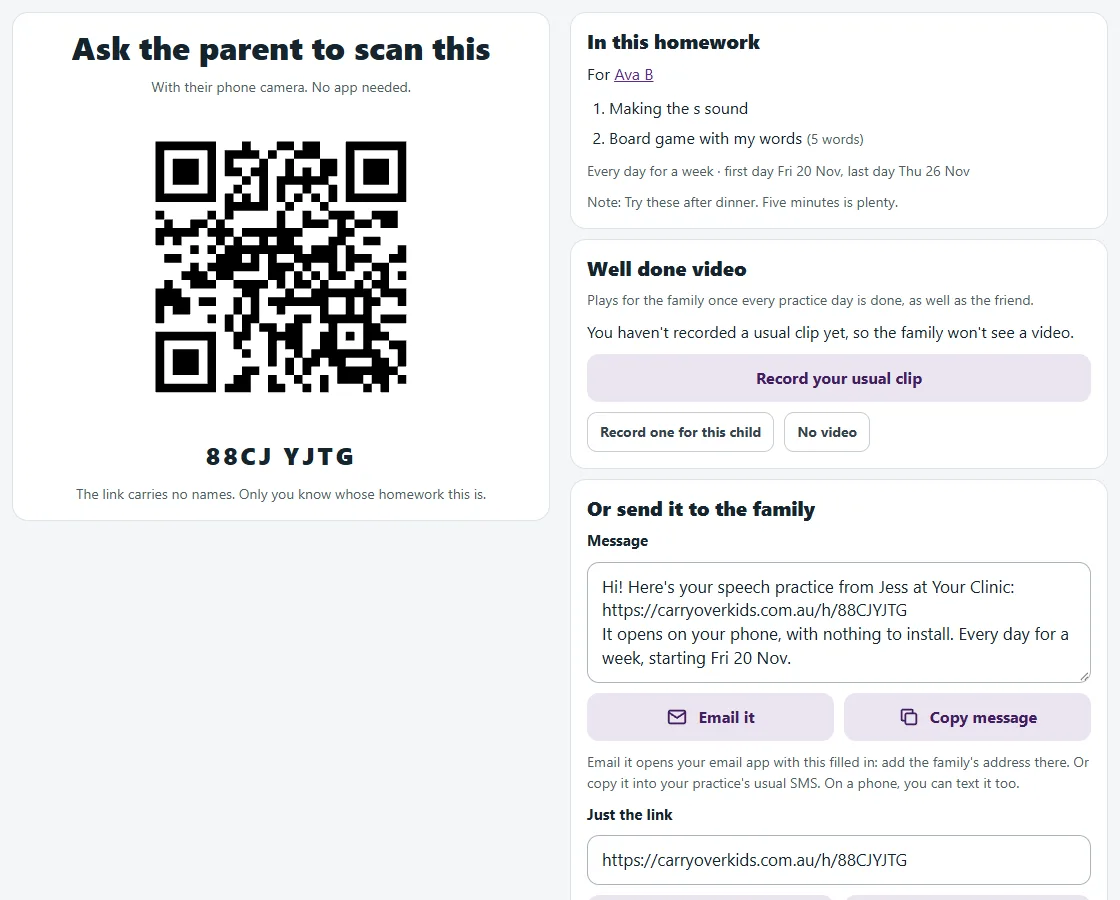
Make homework opens the share screen. In the session, ask the parent to scan the code with their phone camera: no app or account needed. Or send the ready-written message:
- Text it (on a phone) and Email it open your messages or email with the message filled in; you add the family's number or address.
- Copy message or Copy link to paste into your practice's own SMS system, or the client's notes.
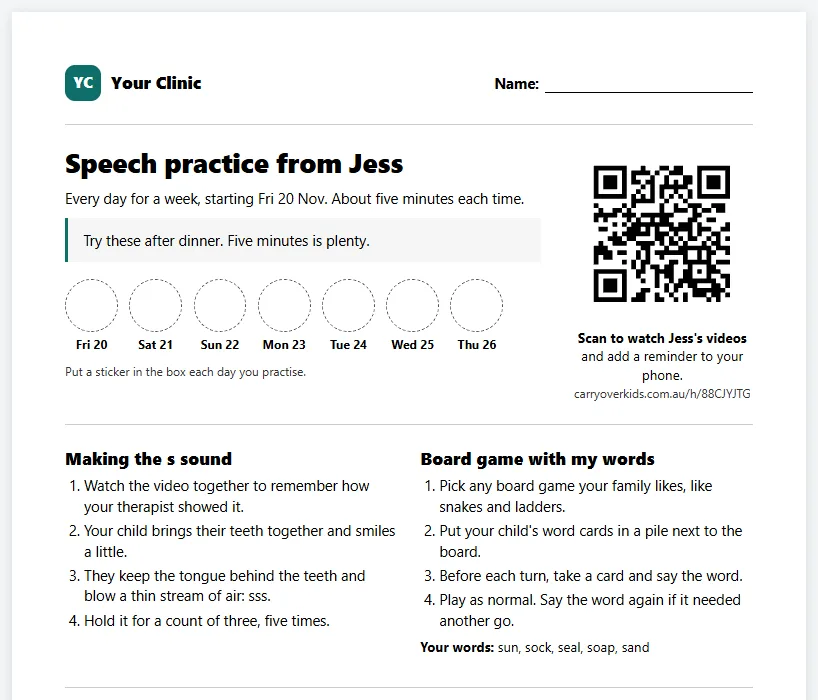
- Printable page is an A4 sheet for the fridge, with the code, the steps and a box for each practice day.
Next: Following up
Still stuck?
Tell us what's not working, or email support@carryoverkids.com.au. Your message comes straight to the people who build Carryover Kids.